MySQL is a widely-used open-source relational database management system. This article will guide you through installing MySQL on CentOS 7.
Updating System Packages
Update your system’s packages:
sudo yum update -y
Installing MySQL
Install MySQL by first adding the MySQL repository:
sudo rpm -Uvh https://dev.mysql.com/get/mysql80-community-release-el7-3.noarch.rpm
Then, install MySQL:
sudo yum install mysql-server -y
Starting and Enabling MySQL
Start the MySQL service:
sudo systemctl start mysqld
Enable it to start on boot:
sudo systemctl enable mysqld
Securing MySQL
Run the security script:
sudo mysql_secure_installation
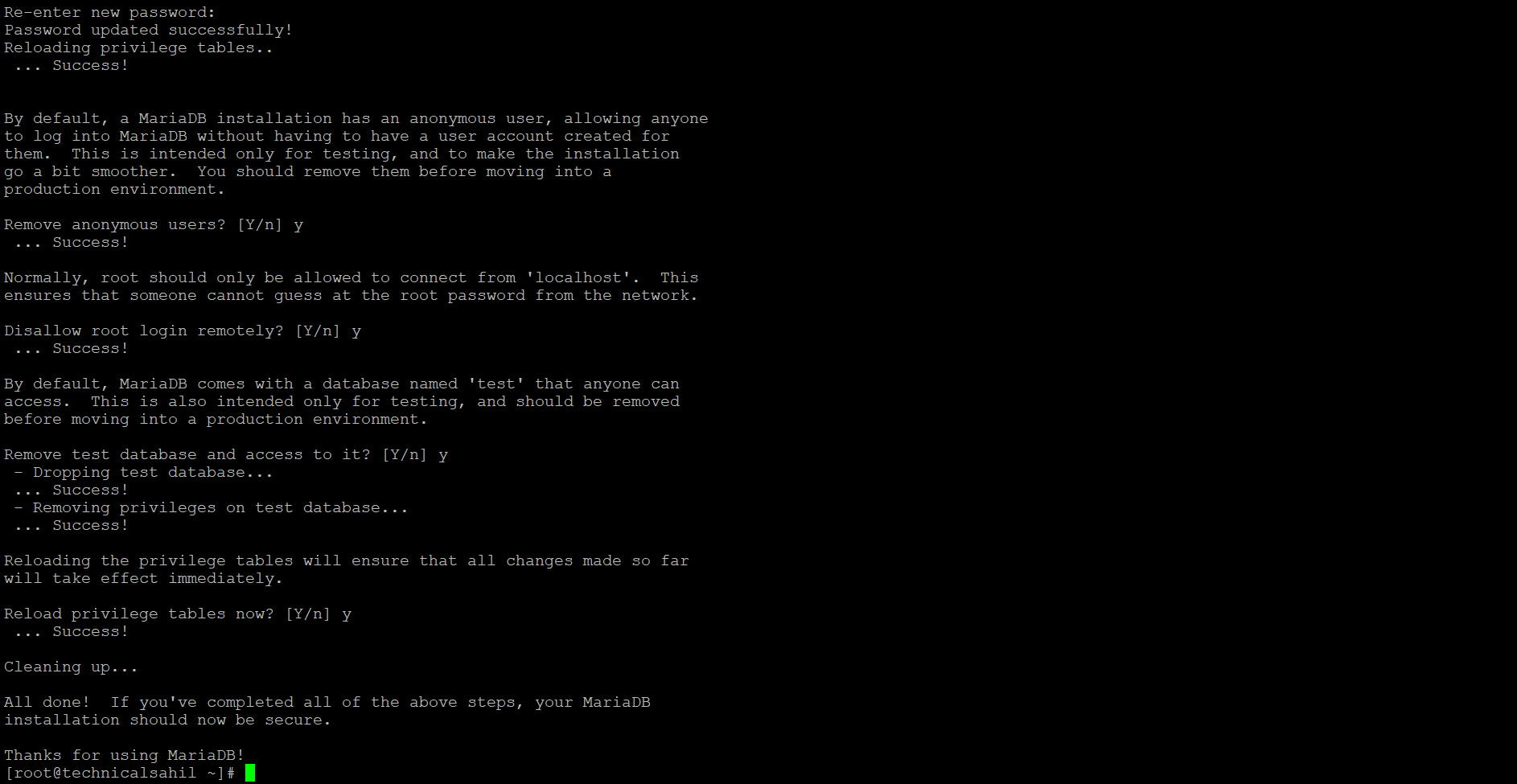
Follow the prompts to set a root password, remove anonymous users, disallow remote root login, and remove the test database.
Accessing MySQL
Log in to MySQL:
mysql -u root -p
Enter the root password when prompted.

MySQL is now installed and secured on your CentOS 7 server, ready for use in your applications or data management tasks.